How to Take a Clear Photo of Your X-ray or MRI at Home, Using Your TV
Dark, shiny photos of X-ray and MRI films are hard for the doctor to read. Turn your TV into a light box with a free “white screen” video and get a clear photo in 2 minutes.
Most of our patients consult us from home and send their X-ray or MRI on WhatsApp. But a film photographed on a bed usually looks like this: dark, with a shiny glare from the tube light. The doctor cannot see the bones clearly.
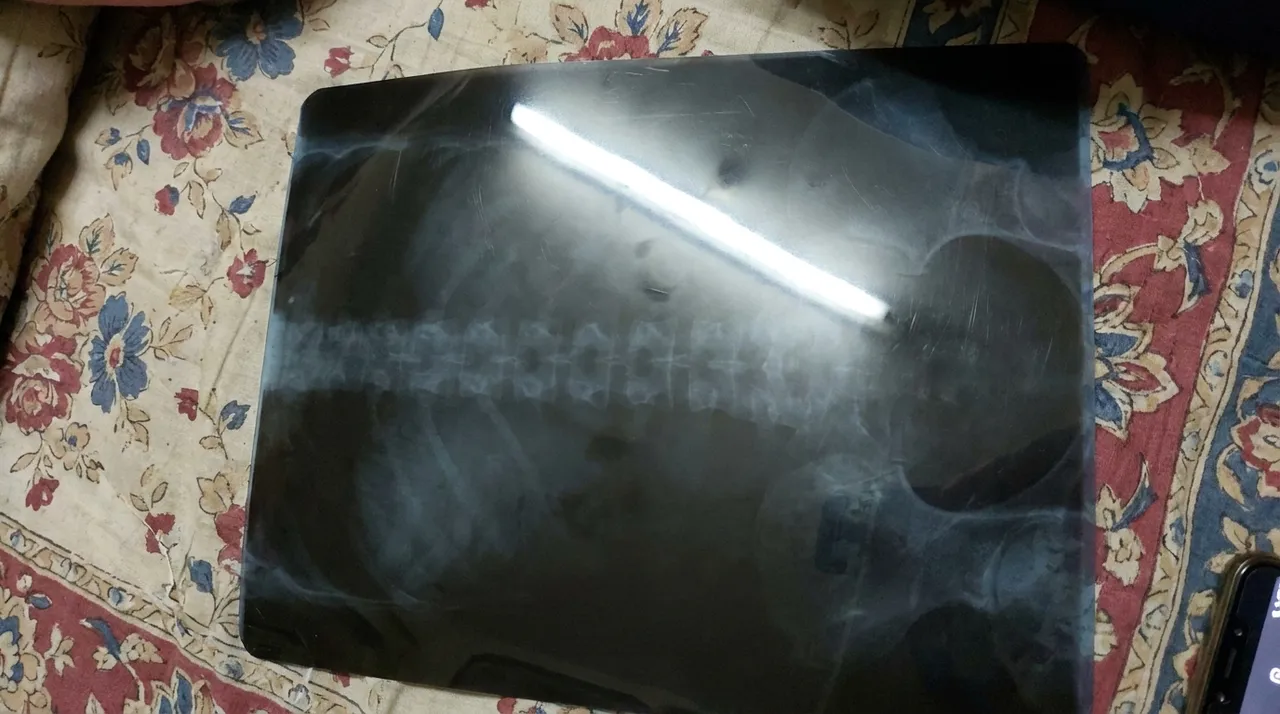
Prefer to watch? Here is the whole method in a 36-second video (in Hindi):
An X-ray film needs light from behind to be seen properly. At home, your TV can give that light.
4 easy steps
- On your TV, open YouTube and search white screen. Play any "White Screen" video and make it full screen. Turn the TV brightness up.
- Switch off the room lights. Room lights make glare on the film.
- Hold the film flat in front of the white screen. Hold it by the edges. Touch the screen lightly, but do not press hard, as pressing can damage the TV.
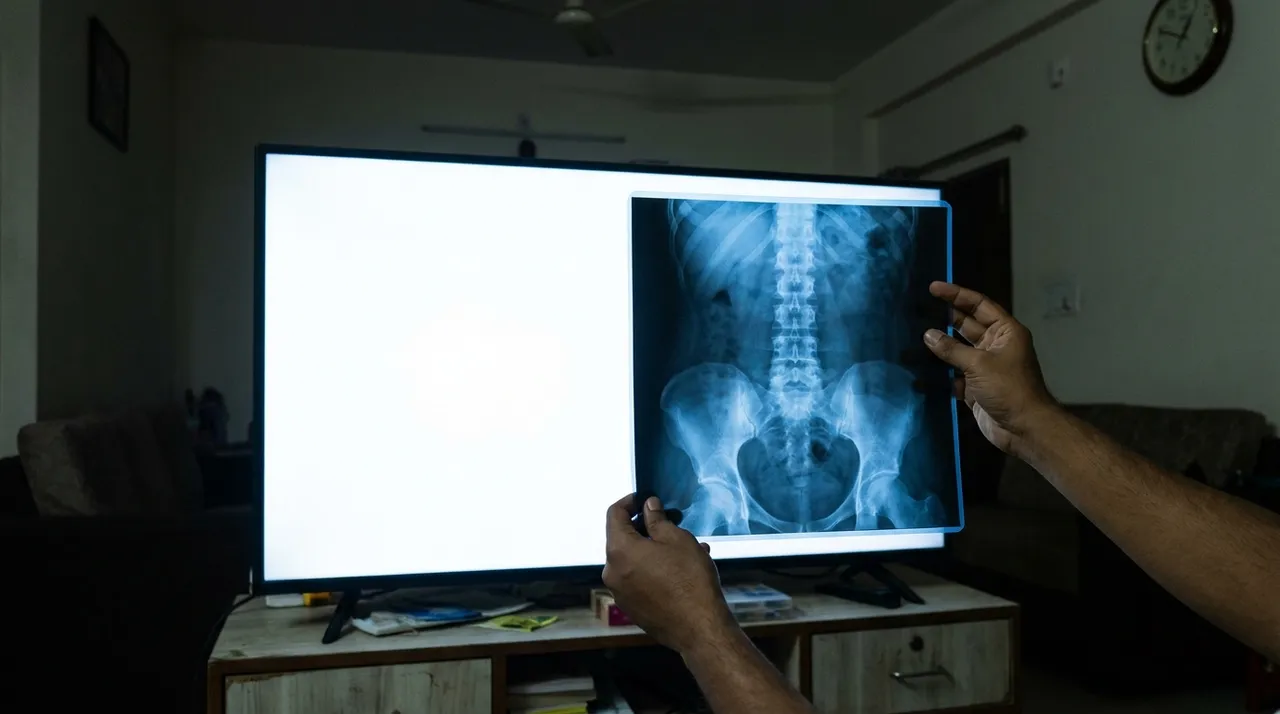
- Take the photo with the phone held straight in front, flash OFF. Do not zoom. Move closer instead, so the film fills the screen. Tap on the film to focus, then click.
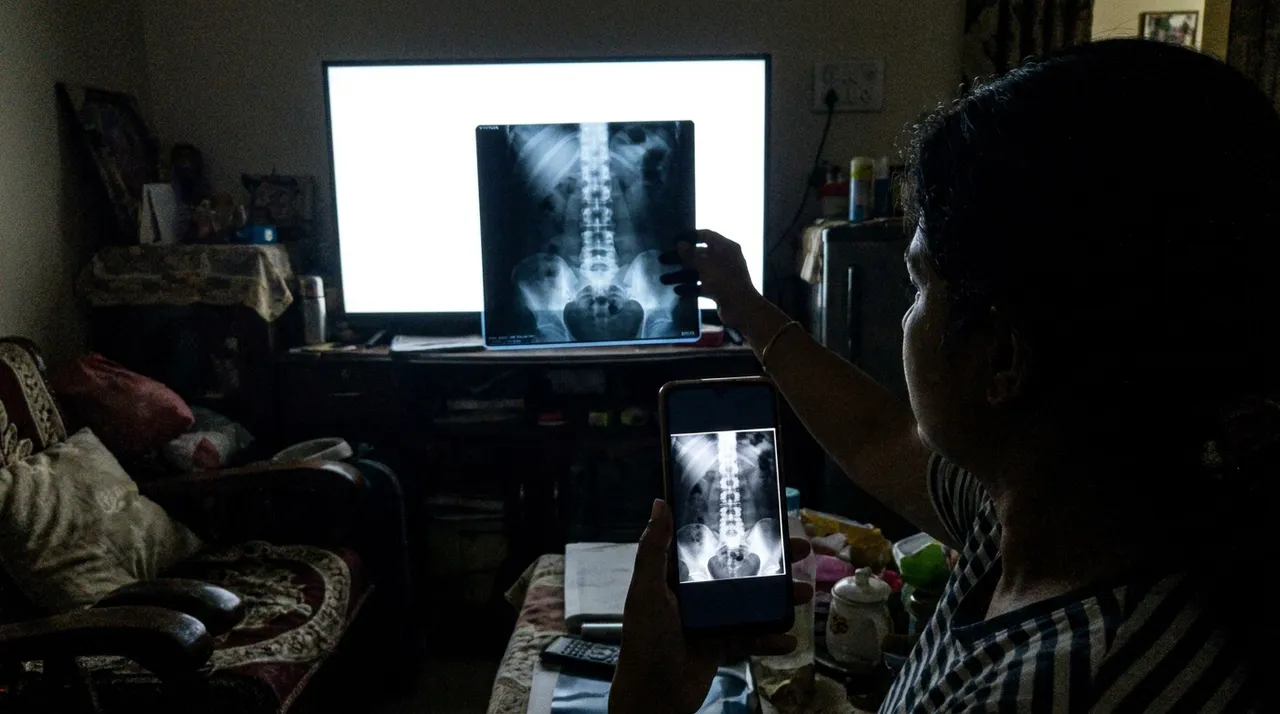
That's it. Compare the first photo with the last one: same film, but now the doctor can actually read it.
Two more tips
- MRI film: it has many small pictures on one sheet. Take one photo of the whole sheet, then one close photo of the top half and one of the bottom half.
- Send the written report too, all pages. Send the photos in HD on WhatsApp so they don't get blurred.
No TV? A laptop with the same white-screen video works the same way.
Planning an online consultation? Keep these photos ready before the call. You can also book an appointment here.
Dr. Sunil Tank (PT)
Physiotherapist at MyPhysioPoint, Jaipur. Reviewed for clinical accuracy on 07 Oct 2026. About the clinic
Have a question about your recovery?
Book an assessment with Dr. Sunil Tank — in clinic or online.